
Since May, my DX cluster node HB9HJI-2 has been running around the clock. Until now, if you wanted to follow along, you needed a logging program or a Telnet window: dxspider.funkwelt.net, port 7300, enter your callsign. That works, but it is not everyone’s cup of tea. Least of all on a mobile phone, when all you want to know is whether 6 metres is open.
Since 28 September you can do it in the browser as well: webcluster.funkwelt.net.
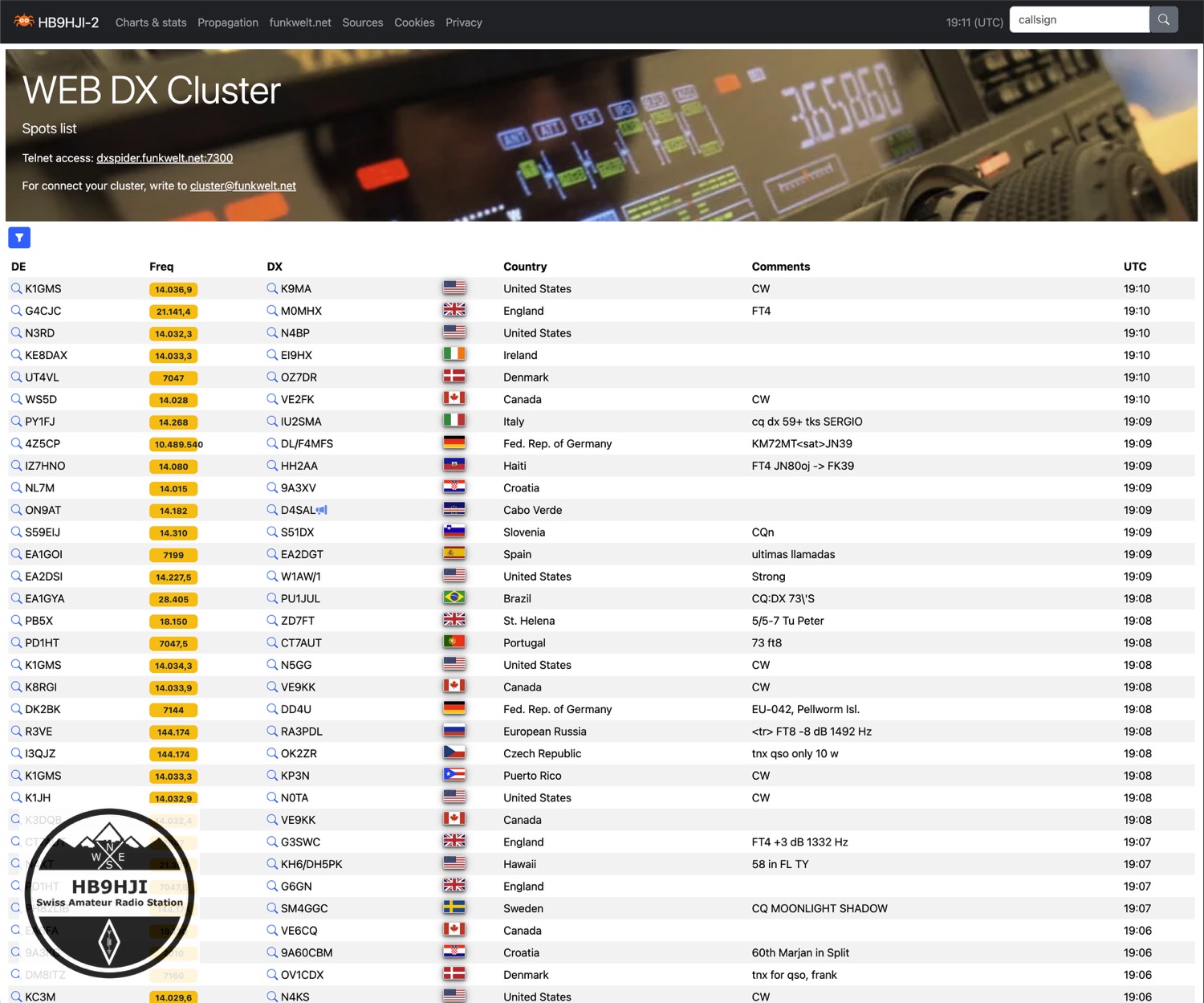
What you will find there
The home page shows the latest spots passing through HB9HJI-2 and refreshes every 30 seconds. You can filter by band, mode, continent and CQ zone. My favourite tick box: hide FT8. Suddenly the list becomes readable. Click on a callsign and you get the latest spots and a few figures for that very station.
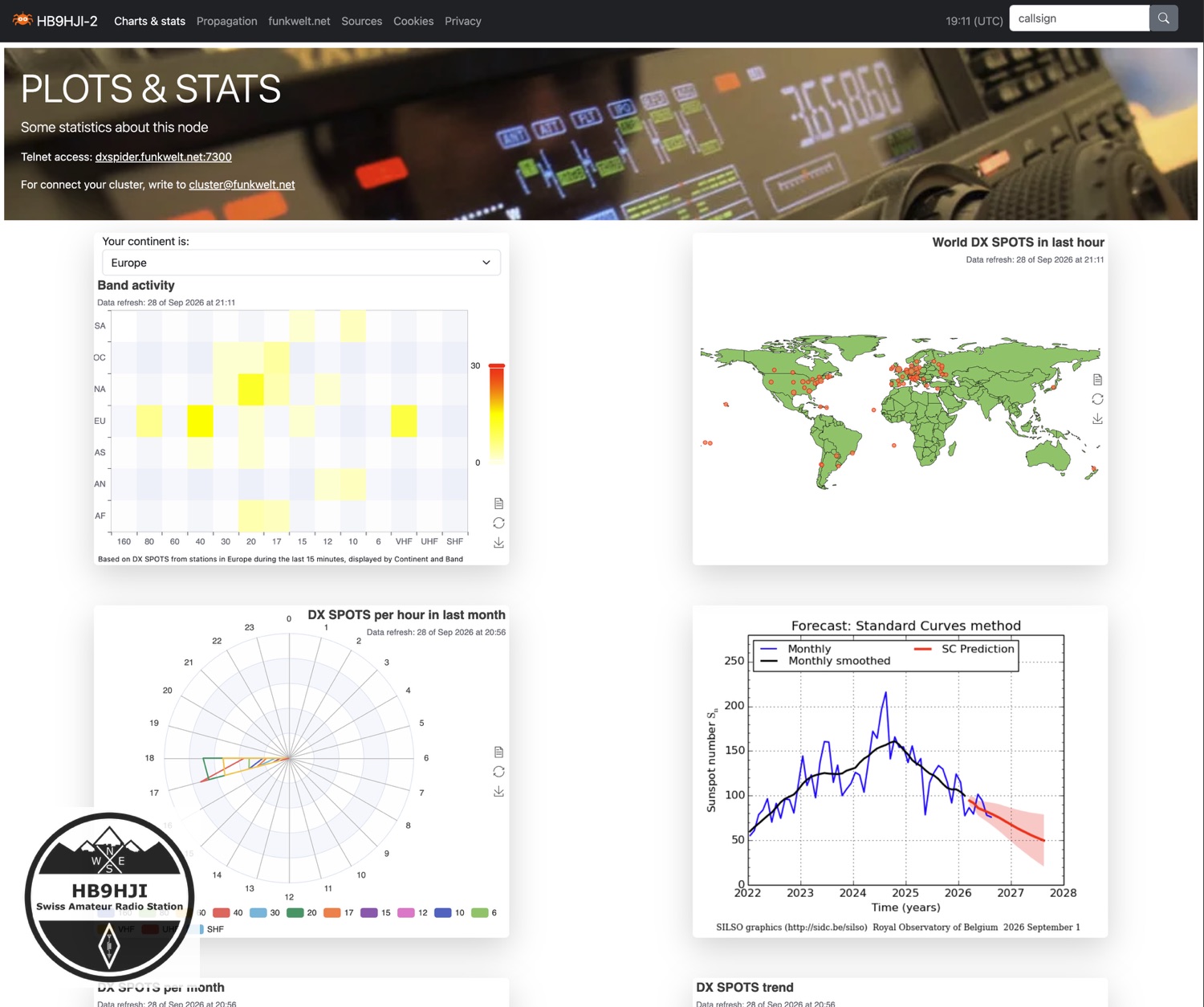
Under «Charts & stats» things get colourful. Which bands are open at which hour, which continents are active on which band, how many spots go through each month, plus a world map. At the bottom you can see who is currently connected to the cluster, including the partner nodes: HB9ON-8, run and hosted by Fulvio HB9DHG, DA0BCC-7 and DM3KS-9.
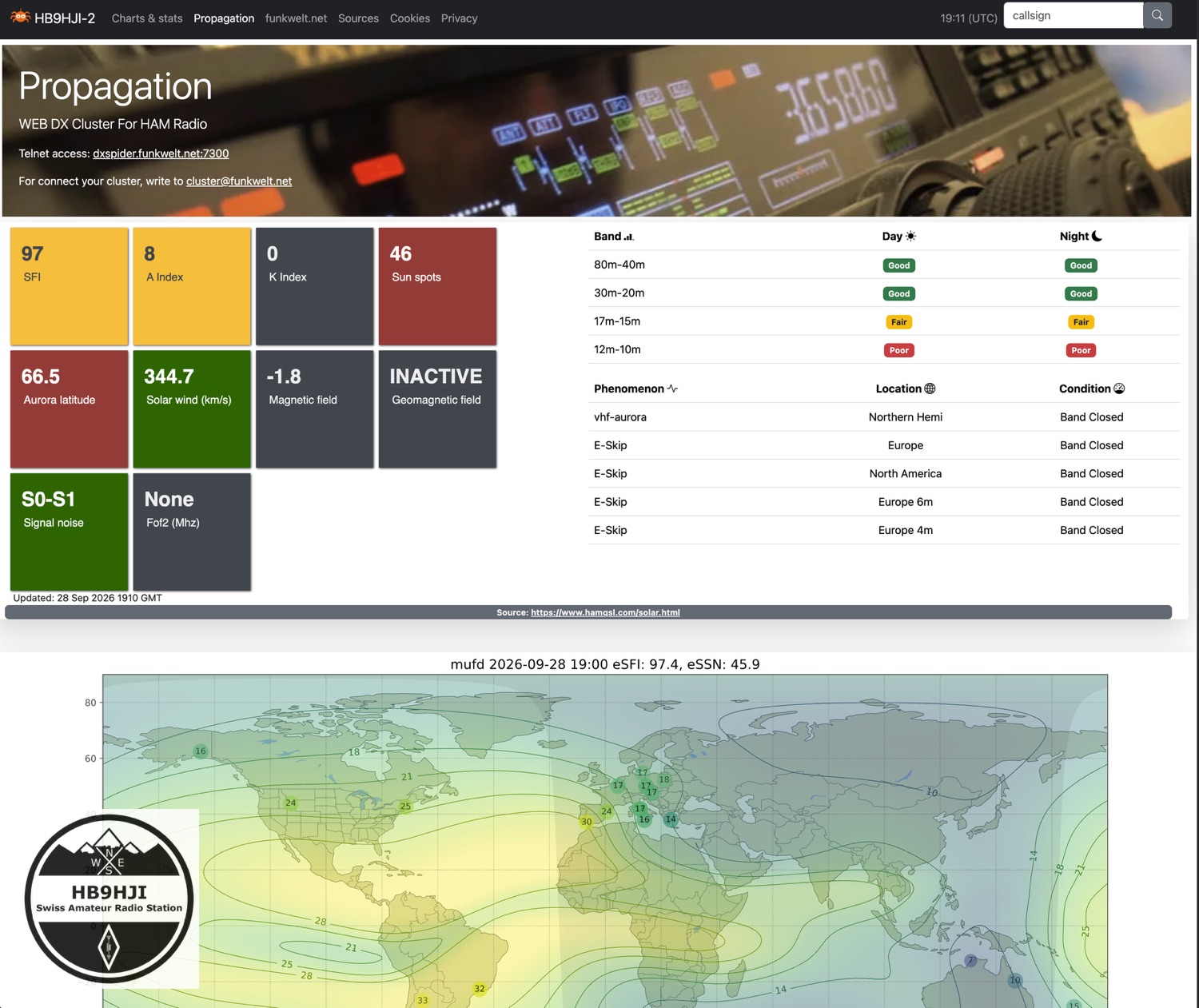
«Propagation» sums up the sun and propagation. Solar flux, A and K index, band conditions for day and night and a current MUF map. For a quick look before switching on the rig, that is all I need.
As an app on your phone
You can put the site on your phone like an app. In Safari via «Share» and «Add to Home Screen», in Chrome via «Install app». After that there is an «HB9HJI-2» icon on your home screen, and the site opens without the browser bar. On the small screen, country and comment are dropped, while callsign, frequency and time remain easy to read.
What is behind it
The software is called Spiderweb and comes from Corrado, IU1BOW. It is open source, and quite a few DXSpider sysops use it. The idea came from the HB9VQQ web cluster, which is built the same way.
So that Spiderweb has something to show, DXSpider now also writes every spot to a database. The site fetches the list of connected stations directly from the cluster, using a dedicated callsign, HB9HJI-9. It is read-only and sends nothing into the cluster network.
I imported the spots since May into the database retrospectively, a good 1.2 million of them. That is why the statistics do not just show the last few hours, but the whole summer.
Nothing changes for Telnet access. If you have HB9HJI-2 set up in your logging program, simply carry on as before. The website is a second window onto the same data.
It did not all go smoothly
During testing, a security vulnerability turned up in the current Spiderweb version. I will only share details once Corrado has fixed it. I reported it to him confidentially and sent along a suggestion for how to close it. On HB9HJI-2 it is already closed with a small modification.
I also changed two other things. In the original, the visitor counter stored the IP address of every visitor, indefinitely. On my installation it only keeps an anonymous short value. And the privacy policy was a template text that talked about advertising partners who do not even exist here. I rewrote it, in German and English, and it now describes what the site actually does. There is no advertising and no tracking.
Then there was the Cape Verde episode. No sooner was the test version running than the spot list was empty. Completely. The culprit was a single spot from D4SAL. The current country file says «Cabo Verde», Spiderweb only knew «Cape Verde», and the whole list tripped over that name. D4 is showing its flag again now.
Give it a try
Have a look at webcluster.funkwelt.net, put the app on your phone and tell me what is missing or annoying. Feedback to cluster@funkwelt.net.
If you want to post spots via HB9HJI-2 yourself, you still need a short registration, as before. An email with your callsign and name to the same address is all it takes.
And if you prefer the classic way: telnet dxspider.funkwelt.net 7300 of course still works.
73 de Chris, HB9HJI
Leave a Reply