
Anyone who has activated a park on FT8 knows the battle of the windows. WSJT-X on the left, the logger on the right, a map somewhere, a clock at the top, and in between the nervous glance to check whether the QSO really landed in the right log with the right park reference. On a 13-inch MacBook in the motorhome or on a picnic table, that is no fun. Since Thursday evening it works differently for me: HAM-Tools 1.57.0 brings FT8 and FT4 on board. Receive, transmit, the QSO sequence and logging all run in the same program as the logbook.
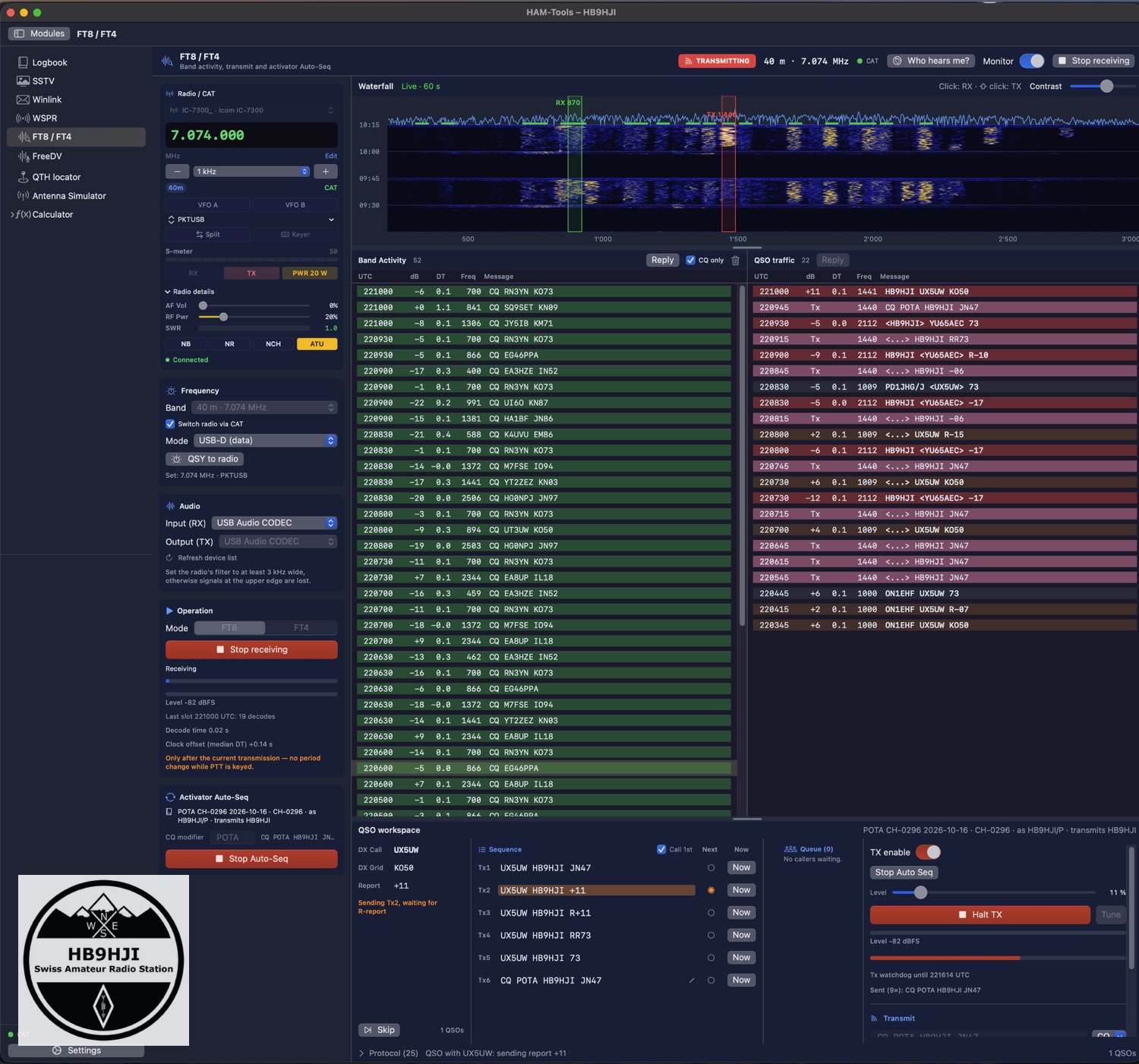
Three steps instead of three programs
First: pick a band. The module sets the radio to the FT8 frequency and USB-D via CAT. At the top, a waterfall runs over 60 seconds with the UTC slot marks; a click sets the receive marker, a shift-click your own transmit frequency.
Second: start the sequencer. If you know WSJT-X, you will feel at home straight away, because the terms are the same: Band Activity, QSO traffic, Tx1 to Tx6 with Next and Now. The sequencer calls CQ, puts callers in a queue and works through them: report, RR73, log, next. Anyone not heard for two minutes is skipped, and a station already in the log on the same band shows up in red and is only called on a click.
Third: it lands in the right log. Contacts go into the active logbook, with its POTA, SOTA or WWFF references, and callbook data is filled in. And because the logbook knows what it is, a POTA log calls «CQ POTA» on its own and a SOTA log «CQ SOTA». Nothing to set up. One detail mattered to me when activating: the base call HB9HJI is transmitted, but the log’s operator, HB9HJI/P, is logged. The module recognises replies to both.
Hunting works too: double-click a CQ from another station and the module calls it, Tx1, Tx3, 73, switching the period by itself.
Why not just remote-control WSJT-X?
That was the first question, and the answer is portable operation. On 11 October I decided: a POTA activation should run entirely in HAM-Tools, without a second window. That is why the activator side came first and hunting only afterwards.
There would have been an obvious route for the decoder. The WSPR module (article in German) ships the wsprd program from the WSJT-X package, and that works. For FT8 the equivalent would have been jt9. The catch: on the Mac it only exists for Intel, and it depends on Qt, Boost and gfortran. Instead, the app now contains ft8_lib by Kārlis Goba, a lean library under the MIT licence. I had to change one thing: ft8_lib packed RR73 differently from WSJT-X, and now it goes out exactly as it does there.
Logging itself was already in place. It uses the same route as the existing WSJT-X connection, with references, operator and log callsign. Just like with the FreeDV module: a lot of new things come from putting existing building blocks together in a new way.
Five days from first commit to release
The first commit was on Sunday, 11 October. That same evening at 19:27 UTC the first transmission went out, and HI8J in the Dominican Republic heard me at 7707 km with −19 dB, according to PSK Reporter. On Monday came the first live test of the sequencer: IC-7300, 20 m, 15 to 25 watts, three QSOs logged by the sequencer, OD5KU in Lebanon, KA3MAJ in Pennsylvania, TA2ZLM in Turkey. On Tuesday a QSO with EA2DR confirmed that the base call goes out correctly without /P. On Wednesday the module ran during a real POTA activation of CH-0067, and whatever snagged there was fixed before the release on Thursday evening. And today it ran with the finished version during my activation of CH-0296.
Kes M0PKZ has also tried FT8 on his Flex-6300 in the meantime and reported back «ok». Thanks, Kes.
To be honest: not a WSJT-X replacement
The decoder finds roughly 70 percent of what WSJT-X finds. The help page says so, and it belongs here too. For an activator that is enough, because the callers come to your own frequency. If you chase weak DX stations at the edge of the noise, stay with WSJT-X. By the way, it may listen in parallel on the same audio input; the two get along fine.
In practice: RF on the USB cable
A lesson from Monday: when I turned the power up, three transmissions broke off. RF in the USB lead, the CAT connection stumbles, and the module then deliberately releases PTT instead of transmitting blindly. At 15 to 25 watts it was stable, and a ferrite on the cable helps. If you do FT8 portable, you may know this from other programs. Here at least you can see it: why a button is locked or why nothing is being sent is always shown as text next to it.
There are a few safeguards I don’t negotiate on. «TX enable» is off every time the module opens. It only transmits with a CAT connection and an explicitly selected audio output. Esc stops immediately, and a Tx and a PTT watchdog make sure nothing hangs. If you are short on power, the «Monitor» switch pauses the waterfall; receiving and the sequencer keep running.
The reward after the CQ
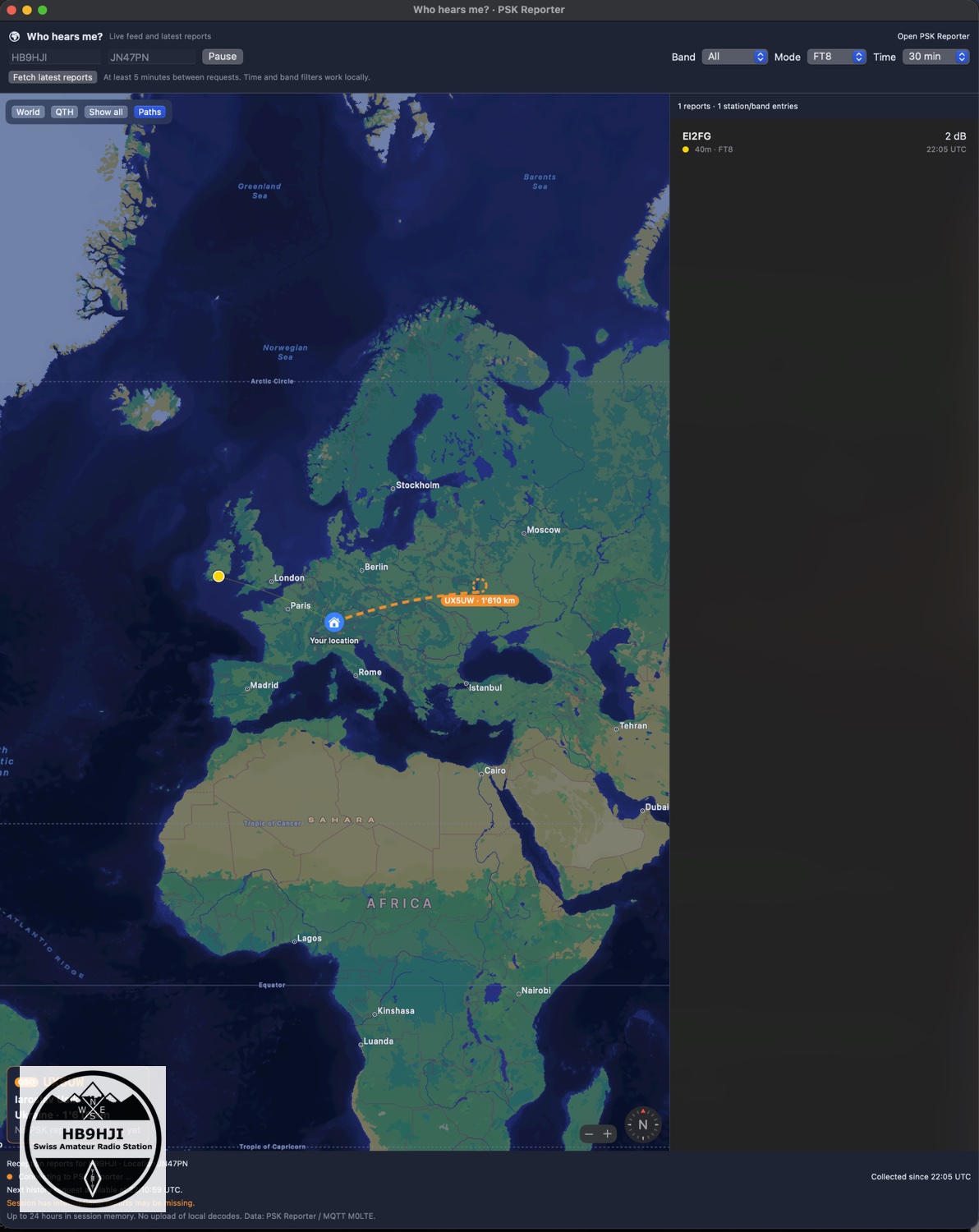
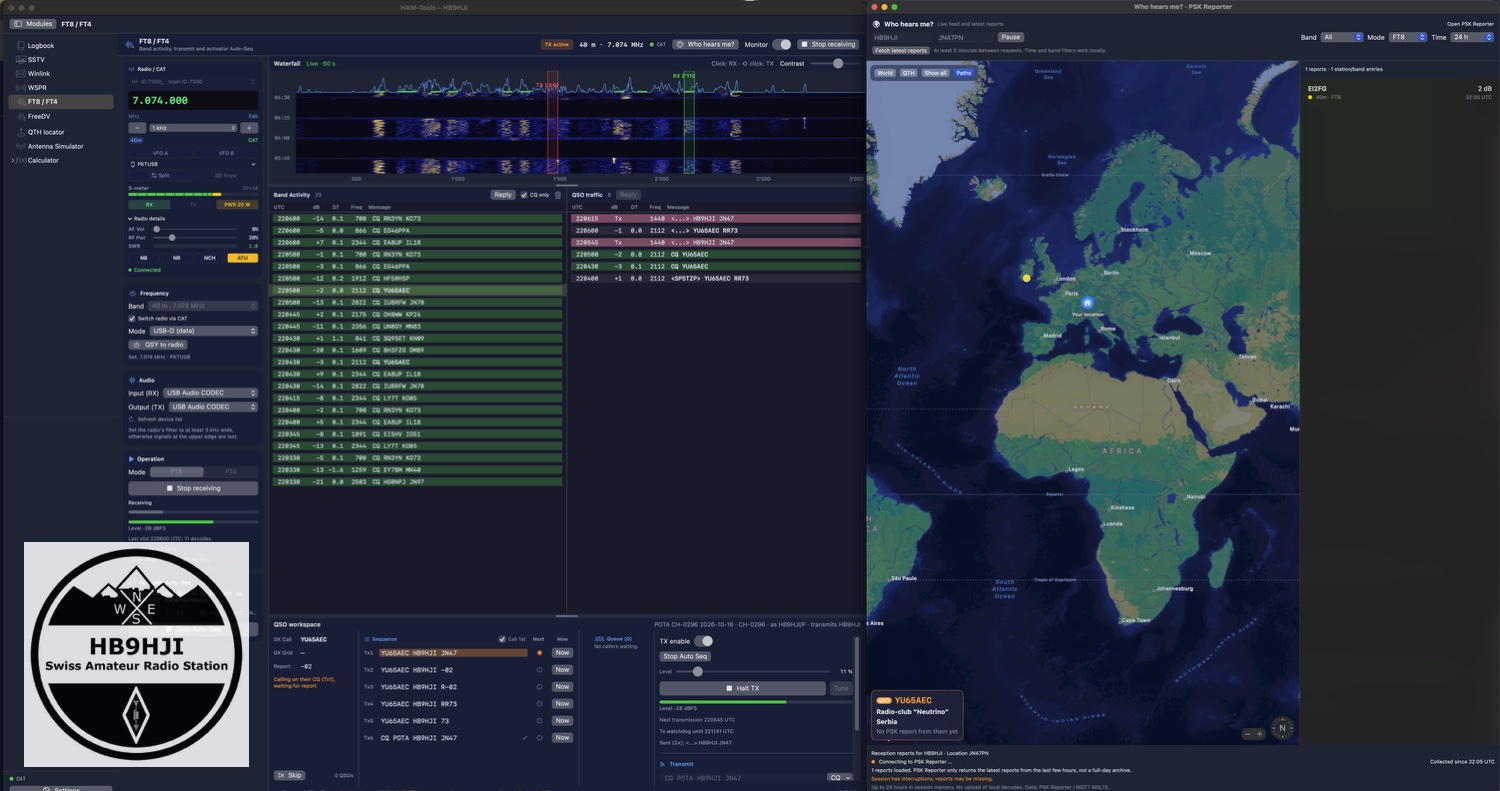
My favourite part comes last. The «Who hears me?» window shows on a map who decoded my transmission and reported it to PSK Reporter, live via M0LTE’s MQTT feed and additionally at the press of a button via the official query. The current QSO partner is highlighted in orange, with name, country and distance. After the third CQ into the void, at least you can see that you are being heard, just not called.
One quirk comes with it: the official query only returns the latest 200 or so reports from the last six hours, and there must be five minutes between two requests. Behind mobile data or Starlink, where many users share one address, rate limiting kicks in quickly. The app then waits 15 minutes and tells you so.
Try it
HAM-Tools 1.57.0 is available from the Toolbox, and the module guide is at toolbox.funkwelt.net/help/en/modules/ft8. If you try it out in the field, I’d love to hear how it goes, especially with radios I don’t have on my own desk.
73 de Chris, HB9HJI
Leave a Reply